

Smart workplaces
A meeting room will not connect. A display shows the wrong content. Signage is out of date. A printer fault becomes another IT ticket. Small issues quickly create frustration for your teams, inconsistent experiences for customers and visitors, and more pressure on internal support.
Smart workspace solutions bring meeting rooms, commercial displays, digital signage, managed AV support and print together around how your workplace is actually used, making spaces easier to use, easier to manage and more consistent for everyone.
five services
Different spaces need different technology. A meeting room has very different requirements from a reception display, digital signage network or managed print environment.
Start with the services your workplace needs today, then bring them together where it simplifies management, creates a more consistent experience across sites and gives your teams one clearer route for support and ongoing changes.

Most popular
Reliable room technology for hybrid meetings and collaboration.
Help your people join, share and collaborate with less friction by designing cameras, audio, displays and controls around how each room is actually used.

Business-grade displays for shared spaces, meetings and communication.
Give your teams, visitors and customers clearer information with screens specified around the space, viewing distance, operating hours and content they need to show.
.webp)
Centrally managed signage for clearer, more consistent workplace communication.
Update messages across one screen or many, schedule content centrally and keep information current without relying on posters, USB sticks or local manual changes.

Keep meeting rooms, displays and AV equipment working reliably with ongoing monitoring, support and planned refresh.
Resolve day-to-day issues faster, keep ageing technology under review, and let dbfb handle warranty claims and hardware suppliers on your behalf when equipment needs attention.

Keep printers and multifunction devices easier to manage across your sites, with support, supplies, usage monitoring and planned replacement.
Reduce downtime and admin, keep ageing devices under review, and let dbfb deal with warranty queries and hardware suppliers when faults or replacements are needed.
why it matters
When workplace technology is inconsistent, people lose time, messages get missed, customers and visitors get a less polished experience, and internal teams end up carrying the admin.
Whether you have one office or a wider estate, the value comes from making workplace technology easier for people to use, easier for customers and visitors to experience, and easier for your internal teams to manage.
.webp)
Help meetings start faster, reduce setup problems and give office and remote participants a more consistent experience across shared spaces.

Keep information visible, relevant and easier to update across displays and signage, helping important messages reach the right people.

Give users a clearer route for help with rooms, displays, print and workplace technology, reducing day-to-day pressure on internal teams.

Use similar room setups, display management and support processes across locations, making technology more familiar and easier to manage.
designed around real use
The right workplace technology depends on more than the equipment.
How many people use the space, what they need to do there, how customers or visitors interact with it and where existing setups create unnecessary steps should all shape the design.
Understanding those details first helps avoid overcomplicated technology and creates a setup that feels more natural to use from day one.
.webp)
Look at users, room layouts, meeting styles, displays, print requirements and recurring frustrations before deciding what needs to change.
.webp)
Choose technology and controls that make common tasks straightforward, rather than adding features people are unlikely to use.

Focus on the everyday tasks the technology needs to support, from collaboration and content sharing to customer-facing information.
.webp)
Consider changing user numbers, working patterns and future requirements so the setup can adapt as your business needs change.
one accountable partner
Workplace technology is easier when someone sees the whole picture. It still needs attention after installation. New starters need access, rooms get used differently, equipment ages and requirements change as your teams and working patterns evolve.
Keeping planning, deployment, support, refresh and future changes with one team gives your business clearer ownership and fewer supplier hand-offs. It also makes it easier to replace ageing technology at the right time and keep your workplace setup aligned with what your people need next.
01
Plan rooms, displays, signage and workplace technology around the people using them, the environment and what they need to achieve.
02
Bring meeting rooms, displays, signage, AV support and print into one managed relationship with fewer supplier hand-offs.
03
Look beyond the room or screen when an issue may also involve connectivity, communications, devices or the wider IT environment.
04
Keep the setup, service history and future plans in view so support, reviews and changes do not start from zero each time.
CONNECTED communications
Meeting rooms, displays and connected workplace devices rely on more than the equipment in the room.
Connectivity, WiFi, Microsoft services, user access and ongoing technical support all influence how reliable and easy the workplace experience feels. Bringing those areas together gives your teams a clearer route for support and makes it easier to look beyond the room itself when something needs attention.
Provide the broadband, WiFi and network performance needed to support video meetings, connected displays and shared workplace technology.
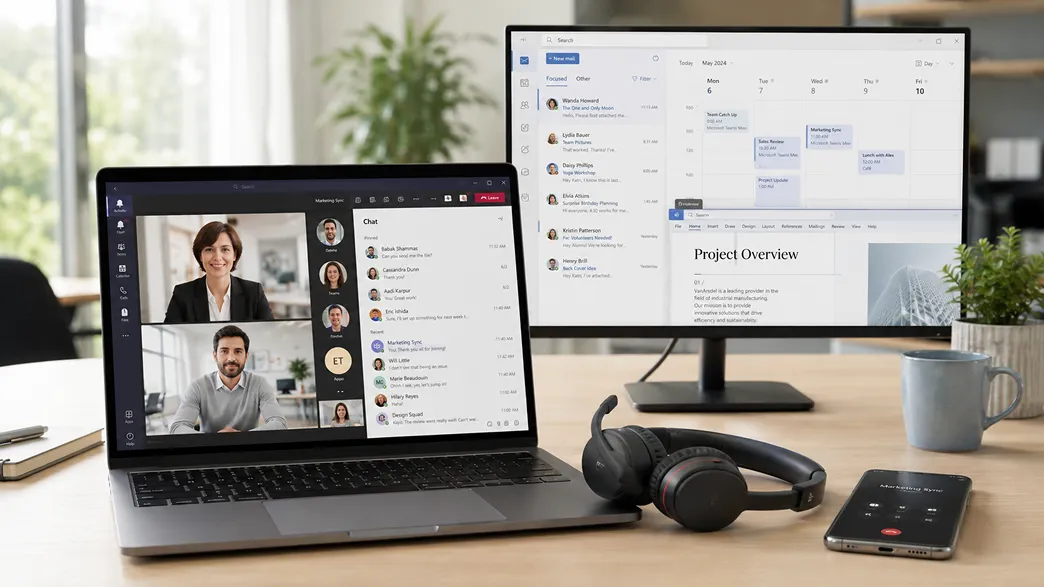
Bring cloud calling and collaboration services, including Microsoft Teams, into meeting rooms and shared environments more consistently.
Support users, devices, Microsoft environments and access requirements around the workplace technology your teams use.
Help teams move between mobile working, desks, meeting rooms and shared spaces while keeping access and communication consistent.
quick answers
Ready to communicate better?
If your meeting rooms feel inconsistent, displays are hard to manage or workplace technology is creating support pressure, start with the spaces and moments that frustrate your people most.
